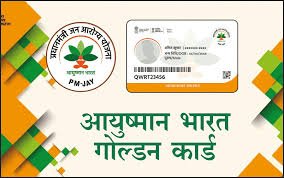
The Ayushman Card is a vital document for millions of Indians, providing easy access to healthcare benefits under the Ayushman Bharat scheme. If you are wondering how to download the Ayushman Card, you’ve come to the right place. This guide will walk you through every step, share useful tips, and answer common questions, ensuring you can get your card quickly and safely.
Whether you are a first-time user or looking to update your details, this article will simplify the process. We will also explain why this card is important and how it empowers you to access free or subsidized healthcare services across India.
What is Ayushman Card?
The Ayushman Card is issued under the Ayushman Bharat Pradhan Mantri Jan Arogya Yojana (PMJAY). It serves as proof of eligibility for free or cashless medical treatment at empaneled hospitals. With this card, beneficiaries can access healthcare services worth up to ₹5 lakh per family per year.
The card contains personal details, family information, and the unique Ayushman ID. It is essential to have this card, especially in emergencies, as it ensures smooth treatment without any financial burden.
Benefits of Ayushman Card
Having an Ayushman Card offers multiple advantages:
- Cashless treatment at government and private hospitals
- Coverage for pre-existing illnesses
- Easy verification with a QR code
- Nationwide validity, making it usable anywhere in India
- Family coverage up to five lakh rupees per year
This card ensures that medical emergencies do not become a financial burden for you or your family.
How to Download Ayushman Card Online
Downloading your Ayushman Card is simple and convenient. Here’s how you can do it:
- Visit the official Ayushman Bharat portal.
- Click on “Ayushman Card Download”.
- Enter your registered mobile number or Ayushman ID.
- Verify your details with the OTP sent to your phone.
- Download the card in PDF format and print it for future use.
Following these steps ensures you have a ready-to-use Ayushman Card for hospital visits.
Required Documents for Ayushman Card
Before downloading, make sure you have these documents ready:
- Aadhaar card or any government-issued ID
- Registered mobile number linked with Ayushman Bharat
- Family details, including names and age
- Proof of eligibility (if requested)
Having these documents handy speeds up the download process and avoids errors.
Eligibility Criteria for Ayushman Card
Not everyone can get an Ayushman Card. To be eligible, you must:
- Belong to a rural or urban household identified under SECC data
- Have a valid Aadhaar or government ID
- Be included in the Ayushman Bharat database
Checking your eligibility online ensures you don’t face unnecessary delays.
How to Check Ayushman Card Status
If you’ve applied but haven’t received your card, you can check the status online:
- Visit the Ayushman Bharat portal.
- Enter your Ayushman ID or mobile number.
- Click on Check Status to see if your card is ready for download.
This feature helps track your application easily without visiting any office.
Tips for a Successful Ayushman Card Download
- Always use a secure network to download the card
- Verify all personal details before printing
- Keep a digital copy on your phone for emergencies
- Update any changes in your family information promptly
These tips ensure your card remains valid and useful whenever needed.
Common Issues During Download
Some users face issues while downloading the Ayushman Card. Common problems include:
- Incorrect mobile number or Ayushman ID
- Website server issues due to heavy traffic
- Missing family member details
- Expired or unlinked Aadhaar
Most issues can be resolved by verifying your details or contacting the Ayushman Bharat helpline.
How to Update Ayushman Card Details
If you move to a new city, change your phone number, or have new family members, updating the Ayushman Card is important. Simply log in to the portal and:
- Navigate to Update Details.
- Enter the new information.
- Submit the request for verification.
Once approved, your updated card will be available for download.
Ayushman Card: Digital vs Physical
You can use the Ayushman Card in digital form on your smartphone or print a physical copy. Both versions are valid at empaneled hospitals. However, carrying a printed copy can be more convenient in rural areas with limited internet access.
Personal Insights
From helping beneficiaries, I’ve seen how the Ayushman Card can be a lifesaver. A friend of mine used it when his father had a sudden heart problem. The hospital accepted the card without asking for upfront payment, and treatment was smooth. That’s why having your Ayushman Card downloaded and ready is crucial.
Conclusion
Downloading your Ayushman Card is a simple but essential step toward securing healthcare for you and your family. Follow this guide, check your eligibility, and keep your card handy. Your health should never take a backseat due to paperwork, and with this card, you are well-prepared.
FAQs
1. Can I download Ayushman Card without Aadhaar?
Yes, you can use other government IDs if Aadhaar is not available.
2. Is Ayushman Card valid across India?
Yes, it is accepted at all empaneled hospitals nationwide.
3. Can I update family details on Ayushman Card?
Yes, the portal allows you to update family information online.
4. How long does it take to get Ayushman Card?
Usually within a few minutes to a few days, depending on verification.
5. Can I use a digital copy at hospitals?
Yes, digital copies on your phone are accepted at all hospitals.
6. What to do if Ayushman Card download fails?
Check details, network, or contact the helpline for assistance.
Also Read More About This Post: Ayushman Card Download